Refer to the exhibits. Exhibit 1 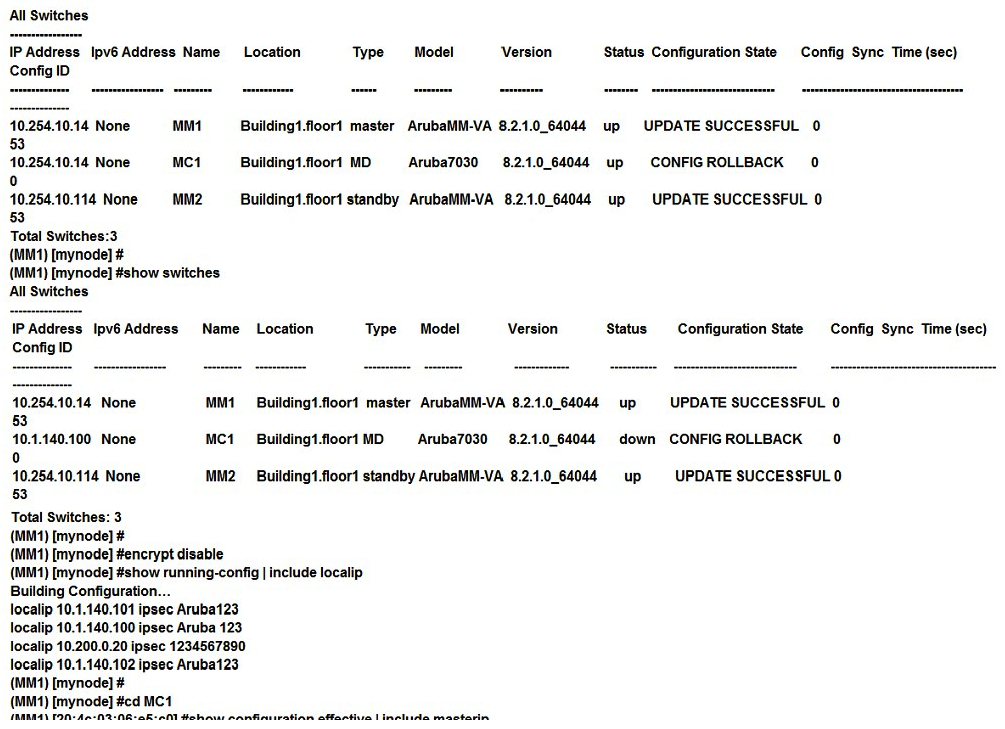 Exhibit 2
  Exhibit 3
 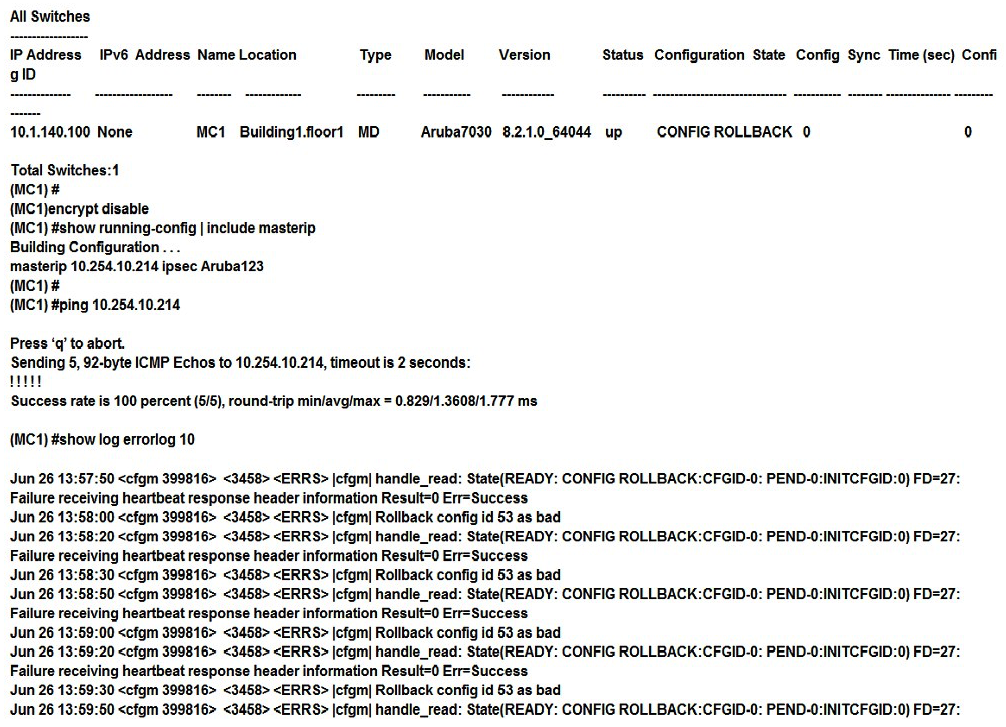 A network administrator deploys a Mobility Master (MM) pair with the VRRP VIP equal to 10.254.10.214, and attempts to associate MC1 to it. At first, the integration appears to be successful. However after a few minutes the network administrator issues the show switches command and sees that the MC1 is down, even though the device is up and running. Every time the network administrator reboots the Mobility Controller (MC) , the MC shows as being up and then it shows as being down. The network administrator gathers the information shown in the exhibits. What should the network administrator do to resolve this problem?
A) Change the localip ipsec key to Aruba123 in the mynode device level from the MM, save, and reboot.
B) Enable disaster recovery mode in MC1 and change the masterip ipsec key to Aruba 123, save, and reboot.
C) Change the masterip ipsec key to Aruba123 in the device level from the MM, save, then reboot MC1.
D) Wipe out the configuration in MC1 and reboot, then run the full-setup configuration dialog all over again.
Correct Answer:

Verified
Q41: Refer to the exhibit. Q42: A company has headquarters based in the Q43: A company currently offers guest access with Q44: A financial institution contacts an Aruba partner Q45: A network administrator assists with the migration Q47: Refer to the exhibit. Q48: Refer to the exhibit. Q49: Refer to the exhibits. Exhibit 1 Q50: Refer to the exhibit. Q51: Refer to the exhibit. Unlock this Answer For Free Now! View this answer and more for free by performing one of the following actions Scan the QR code to install the App and get 2 free unlocks Unlock quizzes for free by uploading documents

